
Free instant access to BIOS tips!
Fill in your name and email and receive our ebook 'How to update your PC BIOS in 3 easy steps' (15$ value), free BIOS tips and updates about Wim's BIOS!
Fast, Scalable and Secure Webhosting
Are you currently having hosting problems? Do you feel that your site slowlyness is killing sales or traffic?
Our book Fast, Scalable and Secure Webhosting for Web Developers will give you the knowledge to run your site on a speedy, scalable and secure server!
Start learning about Linux, Nginx, MariaDB, PHP-FPM, Java, IPv6, HTTPS, WordPress and much more!
Tip: Receive your free Chapter Secure your site with HTTPS by joining our mailing list!

Proper "large" IDE HDD support is two-piece:
- Detection
- Runtime support
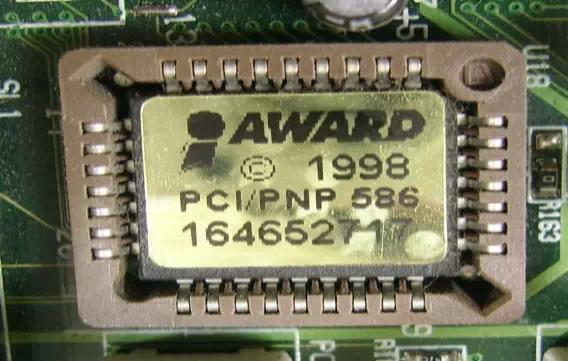
Detection means that BIOS reports the correct size of the HDD. AWARD BIOS older than 6/1999 screw up with >32GB drives.
Runtime support means that the BIOS must offer additional runtime services to access what's behind the 8 GB border (1024x63x255x512 bytes, to be exact). That's usually called "Int13 extensions", and by far not every BIOS that detects any drive size has these.
That's why you see 20 GB in BIOS and only 8GB in your operating system.
Required reading:
You have three options in this case:
- Get a BIOS upgrade. Might not help, especially in older systems. You can get help in our hard disk forum.
- Purchase an add-on EIDE controller card.
- Use Drive Overlay software like EZBios or Ontrack. You can download this from the HDD manufacturer's home page.
Go back to our BIOS FAQ.
Need help? Ask your question here!
(Examples: how to update your BIOS, how to identify your motherboard)
About
My name is Wim Bervoets and I'm the founder of Wim's BIOS Page. The history of this site goes back to 1996 when I was taking my first steps on the internet. Gradually the site grew to what it is now - an authority site about BIOS update information - with an active forum.
Free instant access to BIOS tips!
Fill in your name and email and receive our ebook 'How to update your PC BIOS in 3 easy steps' (15$ value), free BIOS tips and updates about Wim's BIOS!
Recent updates



-
Added Medion BIOS Updates

Contact Us
Belgium, Europe
Email: [email protected]
Stay Connected
1996 - 2019 © Wim Bervoets. Privacy Policy | Terms of Service | Disclaimer | Disclosure